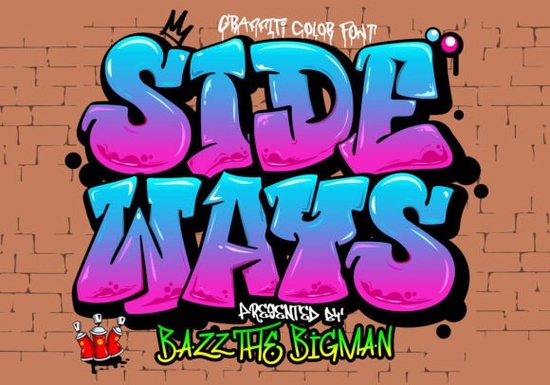
If you're looking for a bold, expressive font that brings street-art energy to t-shirts, logos, or social media graphics, the Sideways Font is a strong choice. It’s a graffiti-styled color font with layered fills and outlines designed to look hand-painted and full of movement. Unlike standard fonts, Sideways uses OpenType-SVG technology to deliver rich, multi-color glyphs right out of the box. That means no manual coloring needed in most supported apps.
Who is Sideways Font best suited for?
This font shines for creatives who work with visual branding and physical products especially those making sportswear, urban apparel, event posters, or small-batch merchandise. Print-on-demand sellers often find it useful for eye-catching product mockups on platforms like Redbubble or Teespring. Small business owners designing their own signage or social ads also appreciate how quickly Sideways adds personality without extra design time.
It’s not ideal for long paragraphs or body text it’s a display font, meant for headlines, short phrases, or logo accents. Think “Limited Edition,” “Drop Zone,” or “No Rules” not legal disclaimers or ingredient lists.
What software works with Sideways Font?
Sideways is an OpenType-SVG (color font) file, so compatibility depends on your design tool and version:
- Adobe Photoshop: CC 2017 or newer (with the “Color Fonts” option enabled in the Character panel)
- Adobe Illustrator: CC 2018 or newer (works best with “Type > Create Outlines” disabled)
- Silhouette Studio: Business Edition or higher (v5.0+), with the “SVG Font” setting turned on
Important note: The OTF and TTF versions included are not compatible with Cricut Design Space. If you’re using Cricut, you’ll need to convert the letters to outlines in Illustrator or Photoshop first or choose a different font built for cutting machines. For more detail on how these fonts behave across platforms, check our Ultimate Font Guide.
How does Sideways compare to other playful color fonts?
Like Groovy Crayon Font, Sideways leans into handmade texture but with a sharper, more angular edge. Groovy Crayon feels like scribbles on notebook paper; Sideways feels like spray paint on brick. Both are great for youth-oriented brands or creative education materials, but Sideways fits better when you want attitude and contrast over softness.
Other graffiti-style fonts tend to be monochrome or require manual recoloring. Sideways saves time because its colors are built-in and they scale cleanly at any size. You can adjust the overall hue in Illustrator using the Recolor Artwork tool, or tweak brightness/contrast in Photoshop without losing the layered effect.
Practical tips before you download
Before adding Sideways to your next project, keep these points in mind:
- Test it in your primary design app first even if your version is listed as compatible, system settings or font cache issues can affect rendering
- Export final files as PDF or PNG (not editable text) if sharing with clients or printers who may not have the font installed
- Avoid using it in web projects unless you’re embedding via @font-face with SVG support (most browsers handle this well now, but fallbacks are still wise)
- If you’re selling digital files (like Canva templates), double-check your license terms Creative Fabrica’s commercial license covers resale, but only for end-use, not redistribution of the font itself
For crafters exploring new lettering options, it’s worth browsing similar styles. The Sideways font stands out for its controlled chaos tight kerning, intentional slant, and consistent stroke weight that keeps readability high even at smaller sizes. And if you like its vibe but want something softer, the Groovy Crayon font offers a friendly, sketchbook-inspired alternative.
Next step: Open your design app, install Sideways, and type a short phrase like “Ride On” or “Off Grid.” Try changing the background color you’ll see how the font’s built-in shading reacts. Then experiment with scaling it up for a t-shirt front or down for a badge icon. No plugins or layers needed. Just type, adjust, and go.
Get Started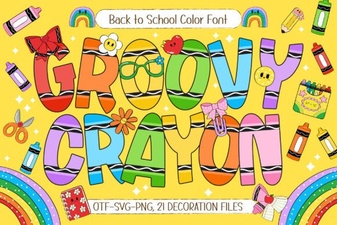 Groovy Crayon Font: Creative Design Ideas & Uses
 Design & Apply Custom Rainbow Font Styles
 Designing with Ethereal Fonts: Elegant & User-Friendly Projects
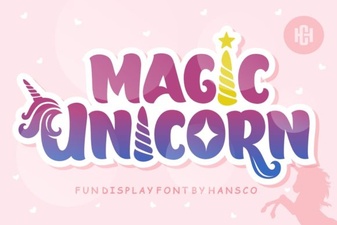 Magic Unicorn Font for Creative Design Projects
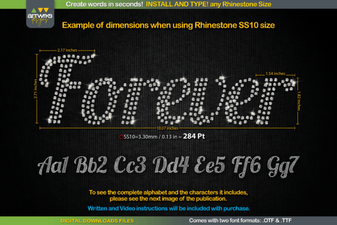 The Forever Font for Creative Design Projects
 Enhance Your Designs with Lucky Font Ideas