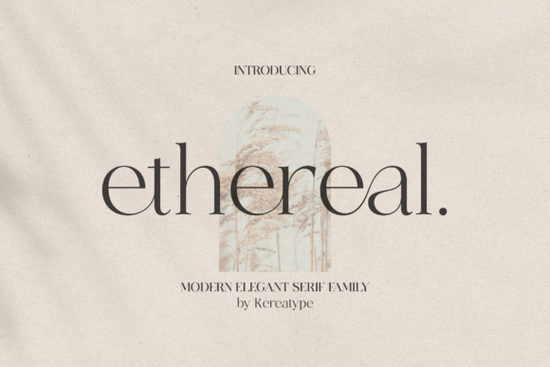
If you're looking for a serif font that feels both timeless and fresh something that works just as well on a wedding invitation as it does on a boutique skincare label you’ll want to take a closer look at the Ethereal Font. It’s not just another pretty typeface. Designed with intention, this modern serif family offers multiple weights and thoughtful stylistic extras that give your work subtle personality without sacrificing readability or professionalism.
What makes Ethereal different from other serif fonts?
Many serif fonts lean heavily into tradition or go too far in the opposite direction with exaggerated quirks. Ethereal strikes a balanced middle ground: elegant but approachable, refined but not stiff. Its letterforms have gentle contrast and soft terminals, giving them movement and warmth. The included swashes and alternate characters (all easily accessible thanks to PUA encoding) let you add quiet sophistication like a custom “&” or a flourished capital “Q” without needing advanced design software or hours of manual tweaking.
Because it’s built for real-world use, Ethereal scales well across formats. Whether you’re designing a small business logo, laying out a greeting card, or prepping files for print-on-demand apparel, the font maintains clarity and charm at any size. And unlike some display serifs that fall apart in body text, Ethereal’s Regular and Light weights hold up nicely in short paragraphs or product descriptions.
Who is this font best suited for?
Small business owners building their first brand identity will appreciate how quickly Ethereal helps establish tone think artisanal coffee roasters, independent bookshops, or handmade jewelry studios. You don’t need a full branding package to get started; just pairing Ethereal with a clean sans-serif for supporting text gives you an instantly cohesive look.
Print-on-demand sellers benefit from its versatility too. A logo using Ethereal reads clearly on a tiny enamel pin or stretches elegantly across a large tote bag. Since it includes OpenType features like ligatures and contextual alternates, you can create variations for seasonal collections without buying new fonts each time.
Crafters and hobbyists often underestimate how much font choice affects perceived quality. Using Ethereal instead of a generic system font even in simple Cricut or Silhouette projects adds polish to vinyl decals, scrapbook titles, or hand-lettered signs. It doesn’t shout for attention, but people notice when something feels just right.
How does it compare to similar fonts on Creative Fabrica?
If you’ve used Monarch Heritage, you’ll recognize Ethereal’s shared love of classic proportions but Ethereal feels lighter and more contemporary, with less contrast between thick and thin strokes. For those who prefer something bolder and more structured, Montega offers stronger geometry and tighter spacing, making it ideal for editorial layouts or tech-adjacent brands. Ethereal sits comfortably between them: graceful enough for luxury, grounded enough for everyday use.
Like Ethereal, all three are fully PUA encoded, so accessing alternates is straightforward in most design apps even free ones like Canva (with desktop upload) or Affinity Designer. No need to hunt through character maps or memorize obscure shortcuts.
Where can you use Ethereal right away?
You don’t need a big project to test it out. Try these low-lift ideas:
- Redesign your Instagram bio header with Ethereal Bold + a neutral sans-serif for contact info
- Swap it in for your current Etsy shop banner font it often takes just minutes to see if the vibe improves
- Use the Light weight for elegant recipe cards or candle labels where subtlety matters more than impact
- Pair the Italic with a handwritten script for wedding stationery it complements rather than competes
For reference, you can also explore the original release on Creative Fabrica: Ethereal Font.
A quick tip before downloading
Open your design app first and check whether it supports PUA-encoded fonts. Most modern tools do including Adobe apps, Affinity, CorelDRAW, and even newer versions of Canva (via uploaded .OTF files). If you’re unsure, install the font, then open the Character or Glyphs panel and look for swashes under the “A” or “S” sections. If they appear there, you’re all set. If not, try restarting the app after installation.
Next step: Pick one existing project a logo draft, a social media graphic, or even a personal note and swap in Ethereal for 10 minutes. See how the rhythm of the letters changes the mood. That’s often the best way to know if a font truly fits your voice.
Try It Free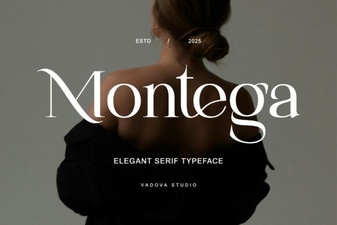 Montega Font: Modern Creative Design Projects
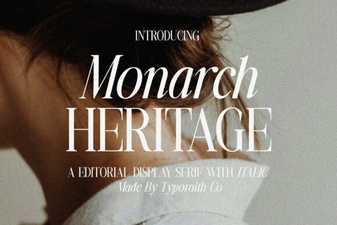 Explore the Monarch Heritage Font Family
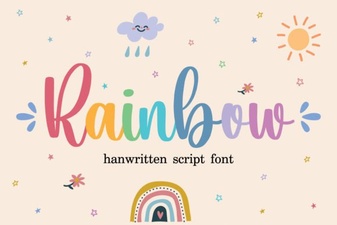 Design & Apply Custom Rainbow Font Styles
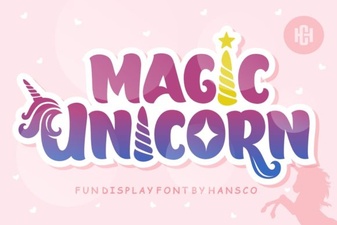 Magic Unicorn Font for Creative Design Projects
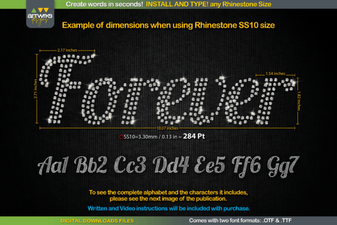 The Forever Font for Creative Design Projects
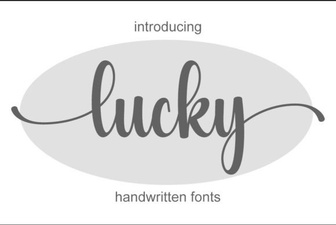 Enhance Your Designs with Lucky Font Ideas